Delivery
Russian Federation : Ship from Moscow
EU countries : Ships From Czech Republic
USA : Ship from Los Angeles
EA80P
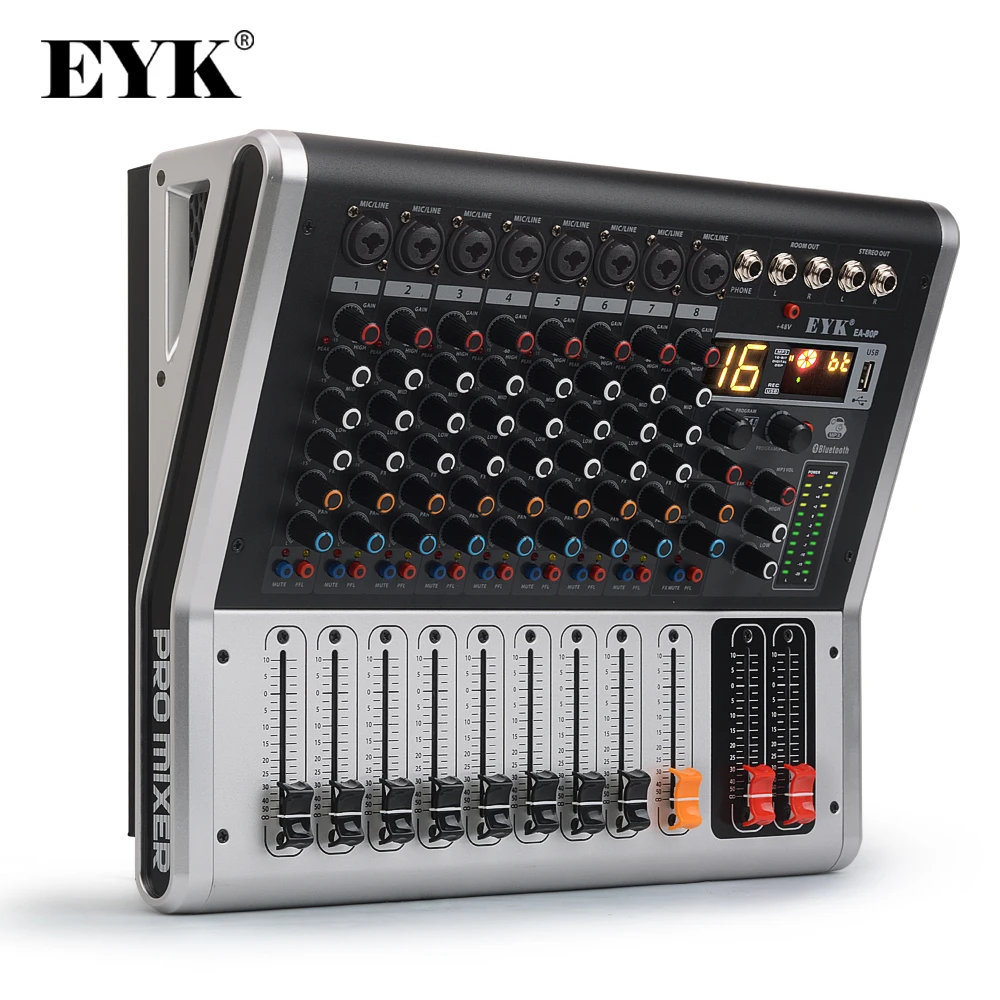
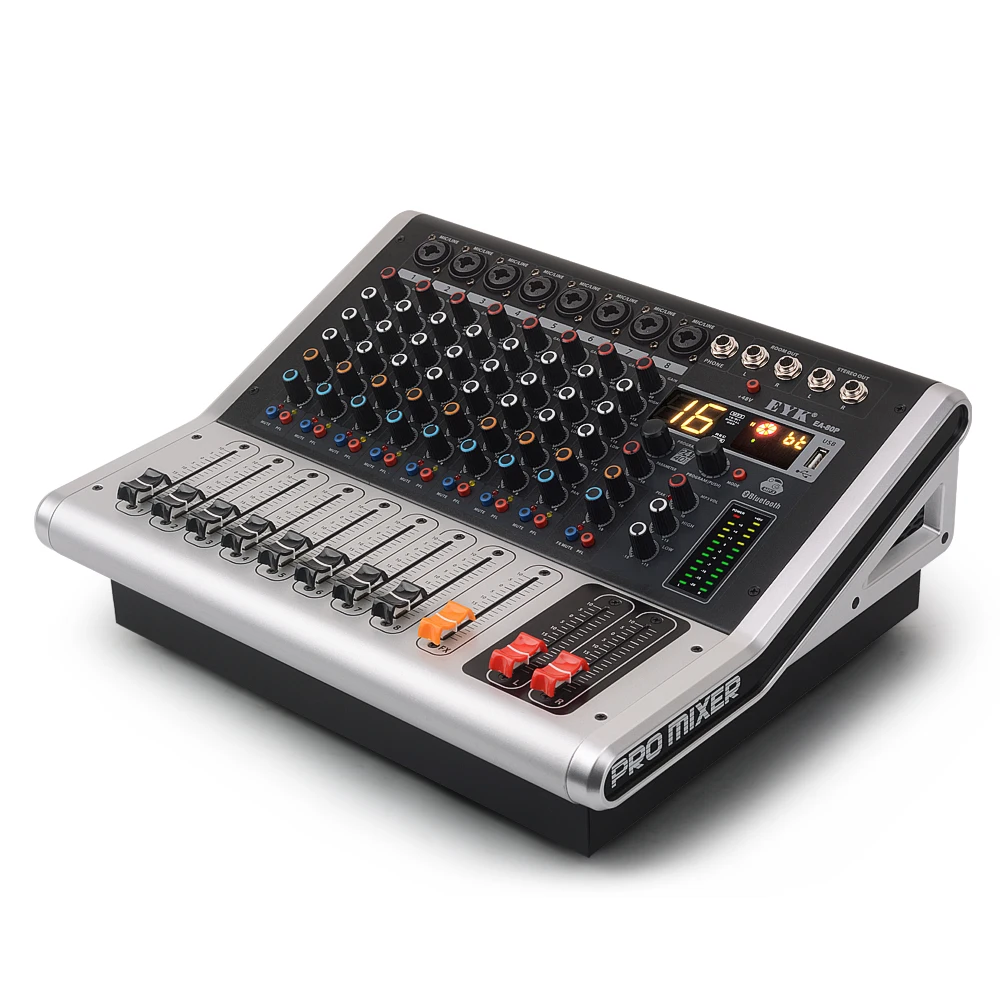
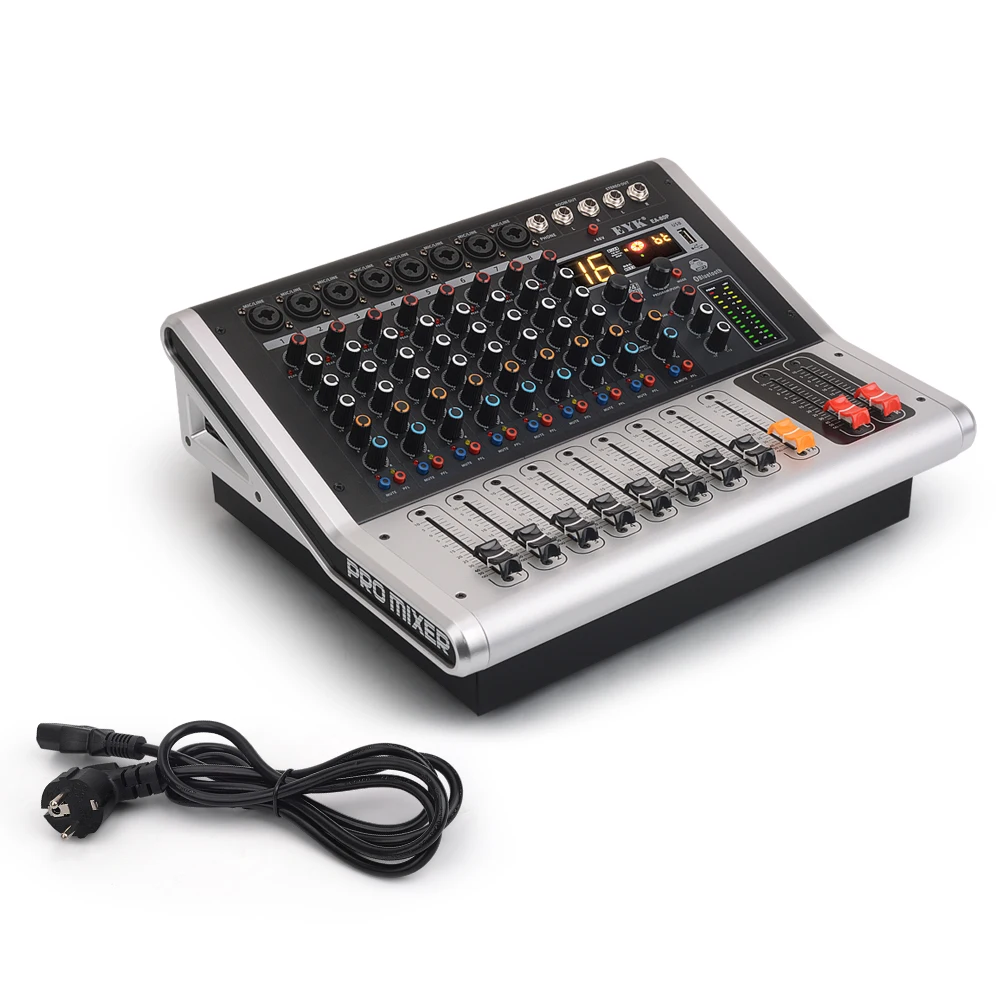
EYK EA80P 8 Channels 16 DSP effect Bluetooth Function USB Record Professional Powered Audio Mixer 2 x 150W 6.35 XLR Socket
Key Point:
1. 8-Channels Mono Microphone/Audio Combined Input
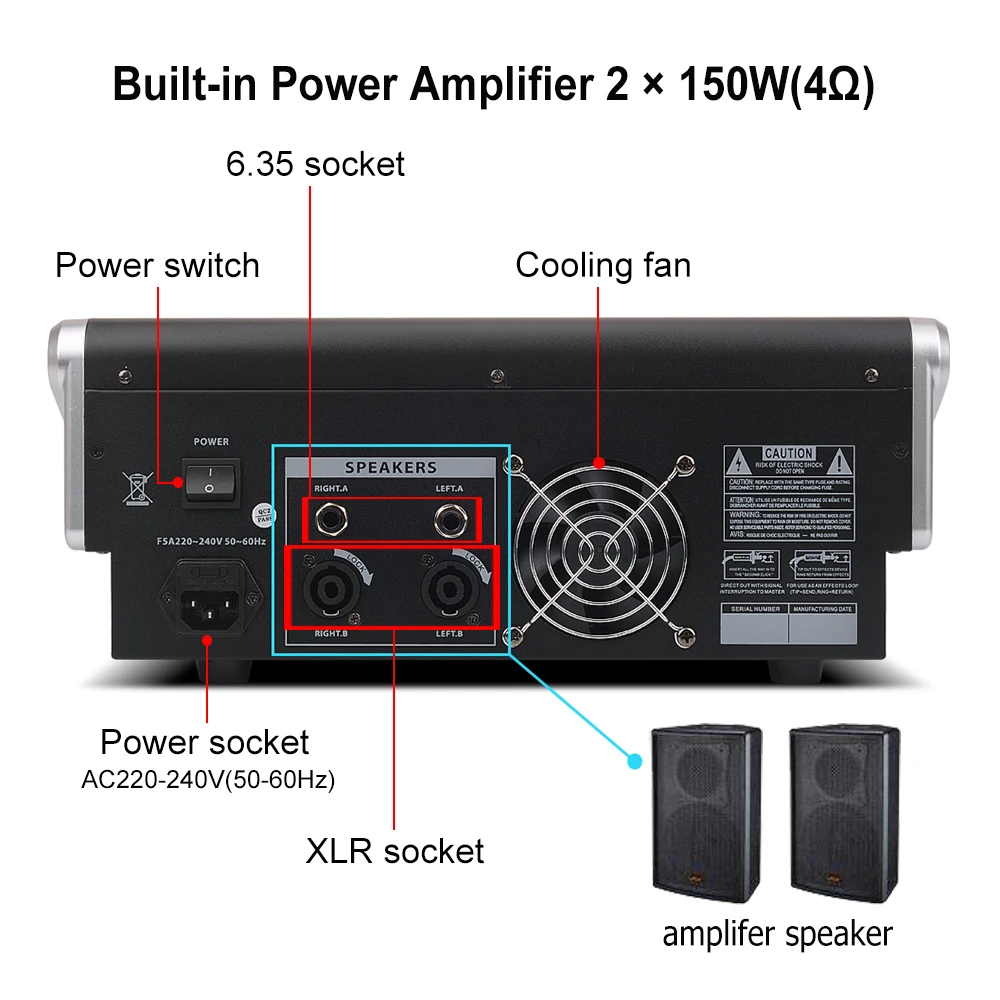
2. Bulid-in 2 x 150W(4Ω) Power Amplifier
3. Provides high quality +48V phantom power
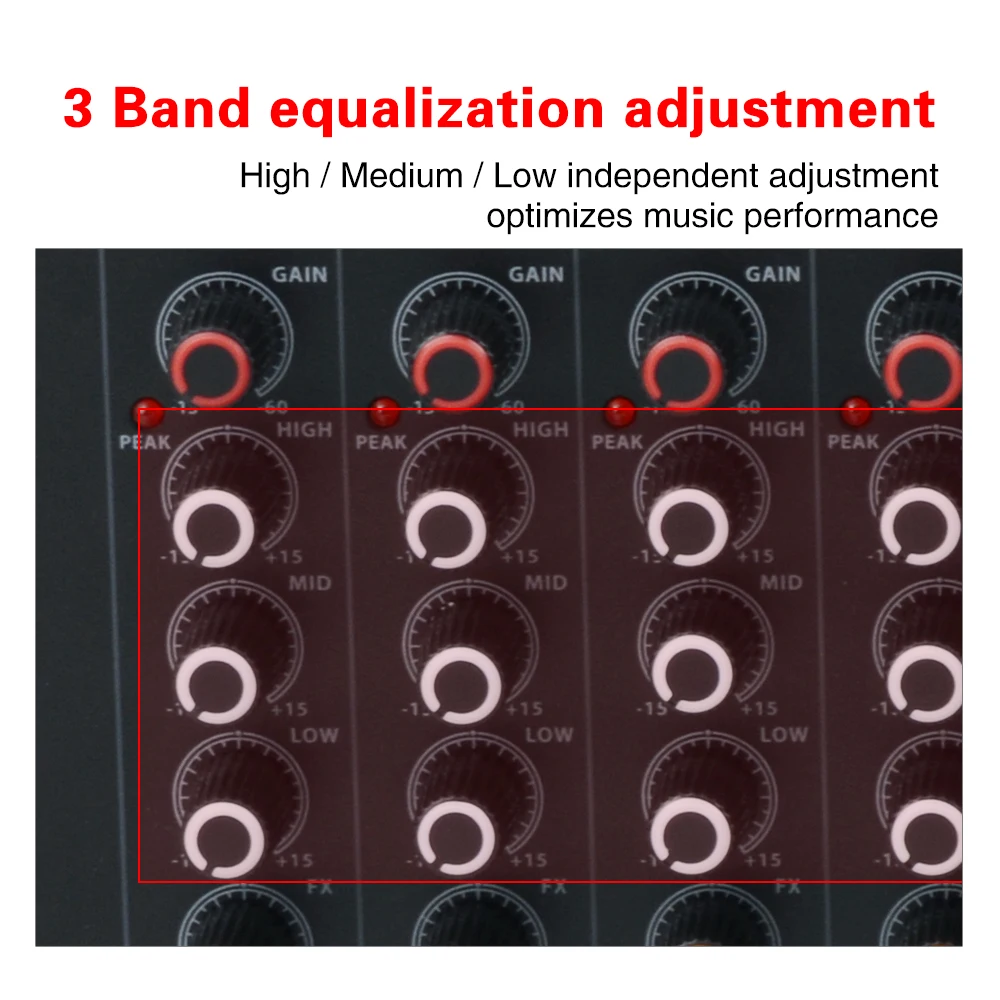
4. Each channel has High , Medium , Low independent adjustment
5. Each channel has an auxiliary sender for external processing
6. Built-in 16 digital effects, including reverb, chorus, delay, transposition, mutil-effects, beat function(pingpeng function)–For more details, please go to the bottom of the page
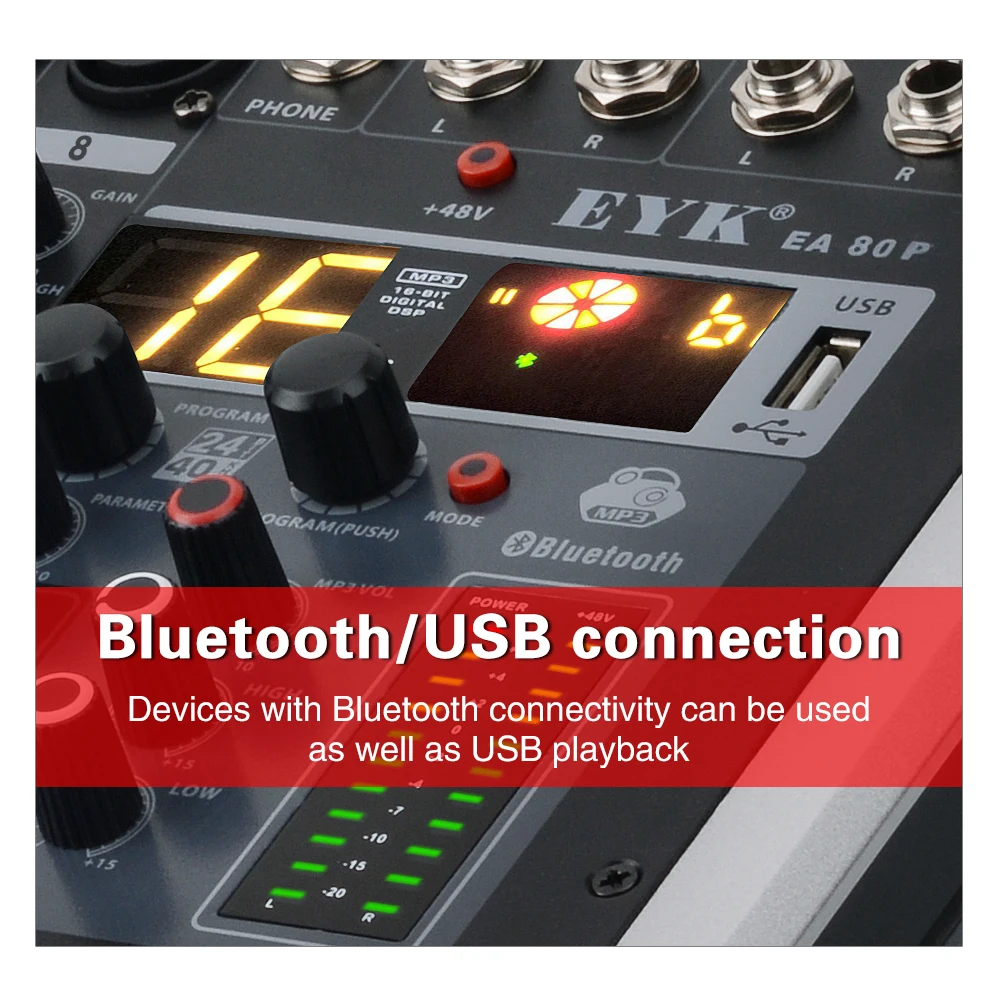
7. Built-in high quality MP3 player with Bluetooth transmission(U-DISK MP3 input)
8. All channels have peak signal indication and pre-fader monitor selection
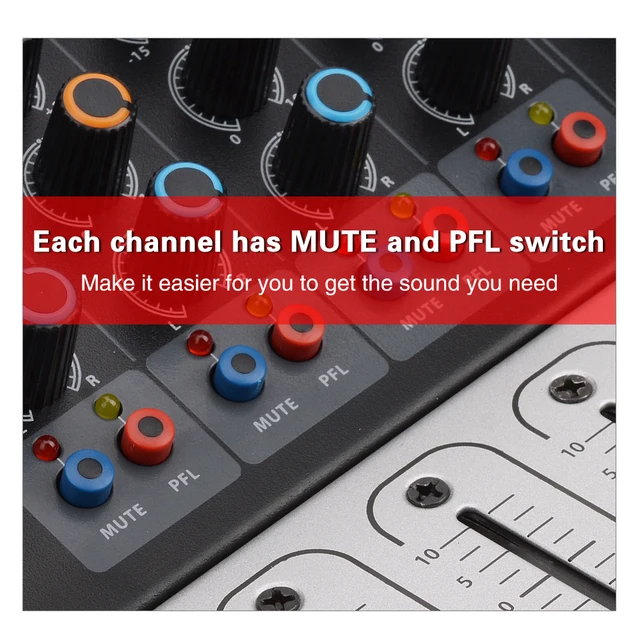
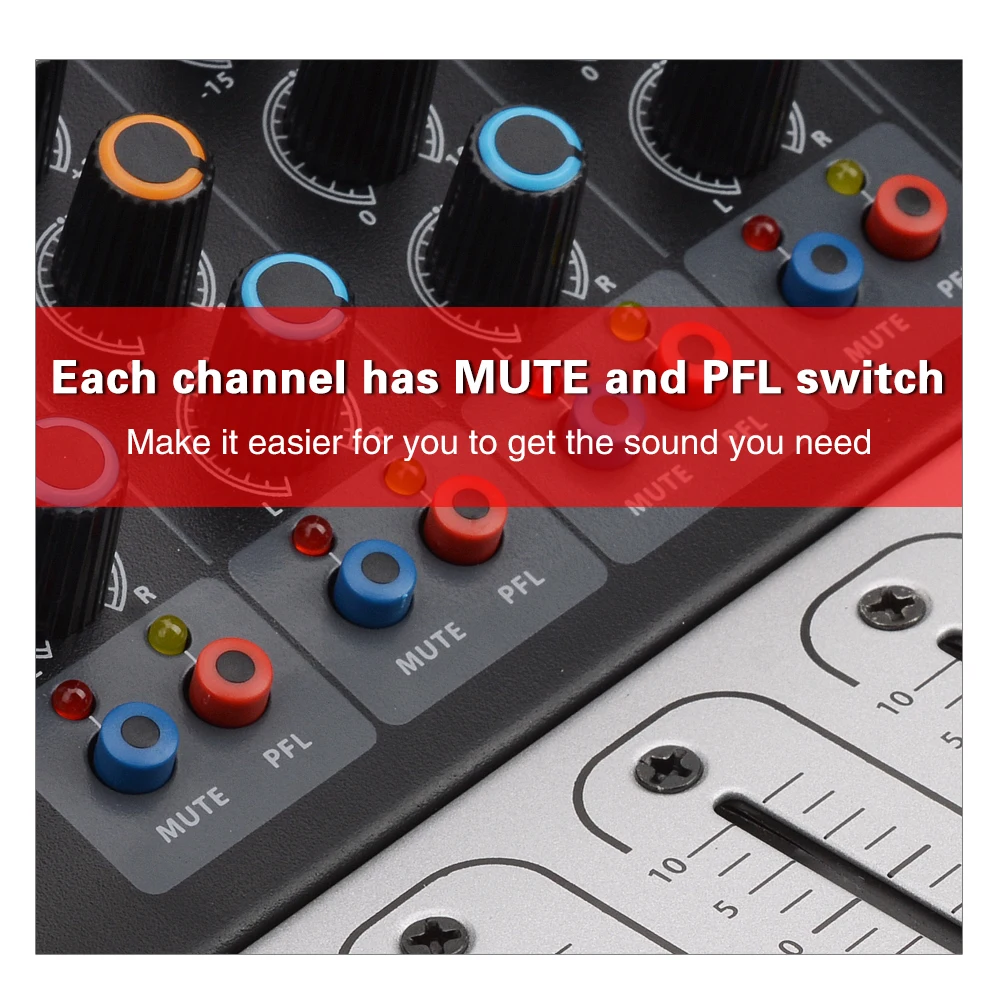
9. Each channel has MUTE and PFL switch
10. Independent Headphone Monitor and Level Display System
11. Dual 12 sections effect level monitoring indicator
3 Band equalization adjustment
High / Medium / Low independent adjustment, optimizes music performance
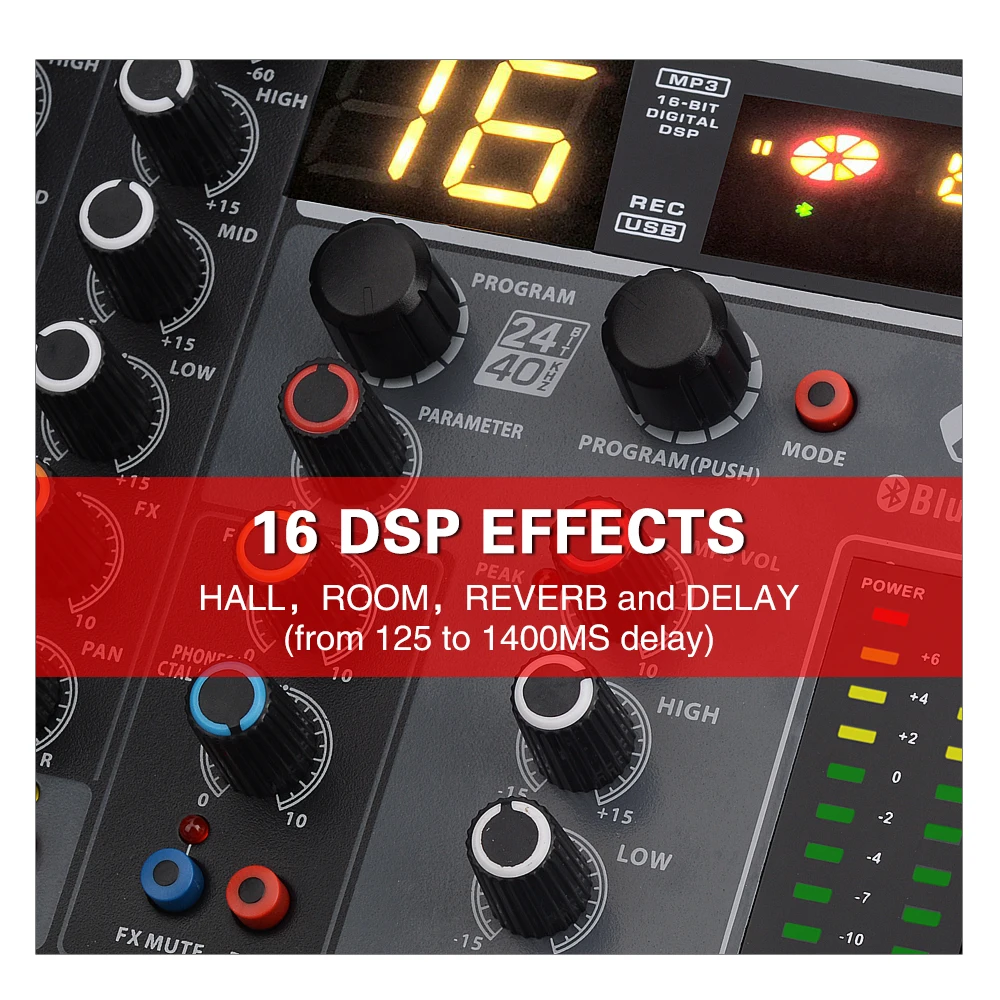
16 DSP EFFECTS
HALL, ROOM, Chorus, Transposition, PINPENG DELAY, REVERB and DELAY (from 125 to 1400MS delay)
Bluetooth/USB connection
Devices with Bluetooth connectivity can be used,as well as USB playback
Each channel has MUTE and PFL switch
Make it easier for you to get the sound you need
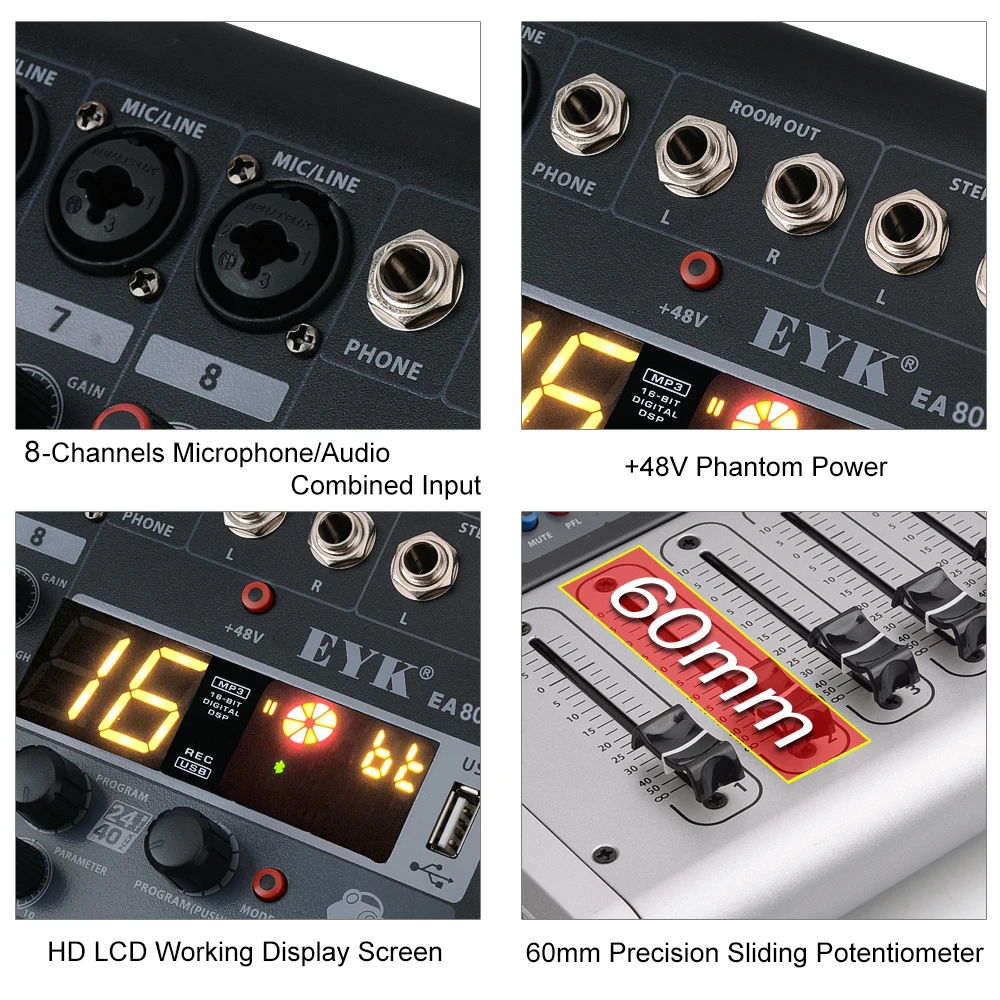
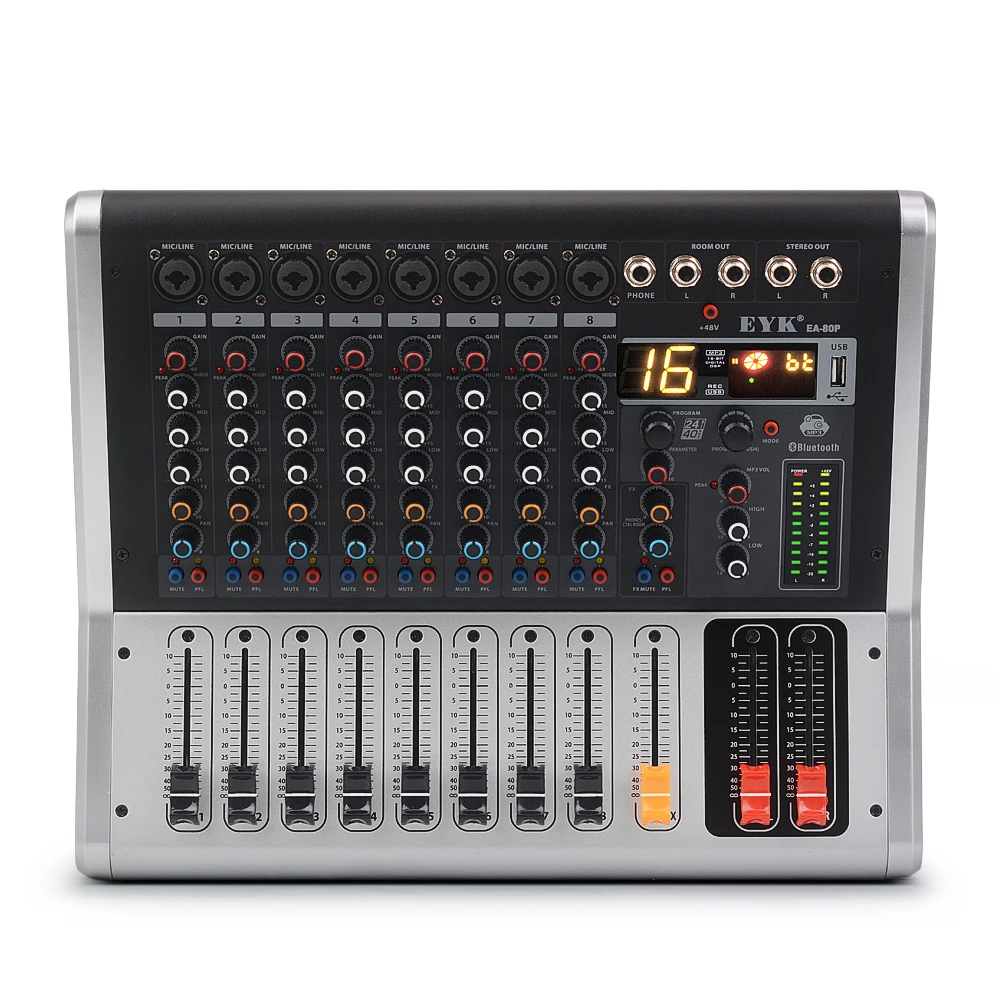
1. MIC/LINE:8-Channels Microphone/Audio Combined Input
2. +48V Phantom Power
3. High Definition LCD Working Display Screen
4. 60mm Precision Sliding Potentiometer
Built-in Power Amplifier 2 x 150W(4Ω)
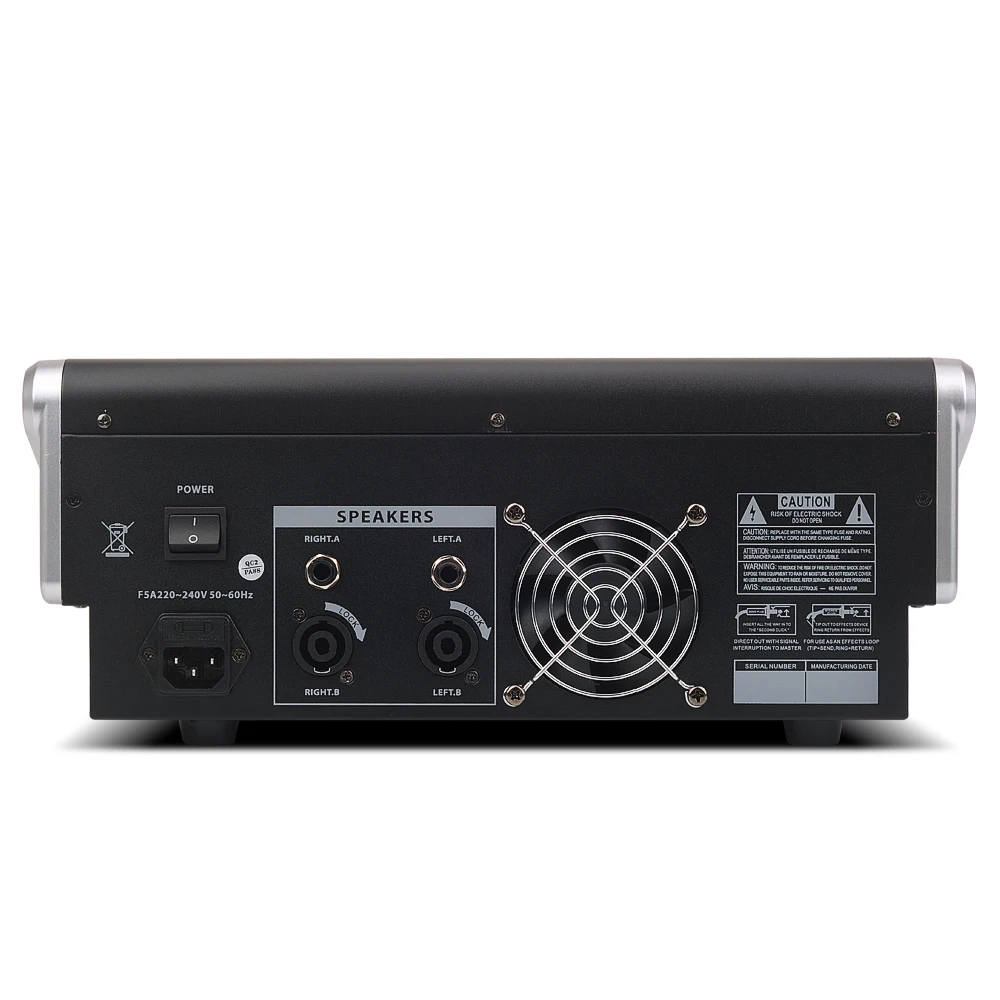
1. 6.35 Socket and XLR Socket for Amplifier Speaker
2. AC220-240V(50-60Hz)or AC100-110V(50-60Hz)
3. High Quality Cooling fan
Introduction of the function key
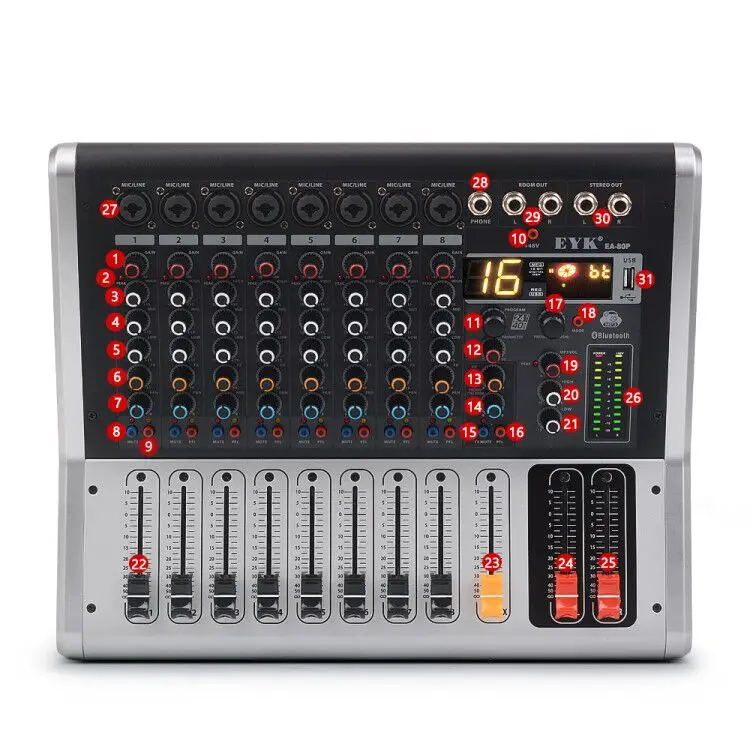
1.【GAIN】(-60dB~-15dB):This is a function which adjusts the input sensitivity of each channel in order to input the constant level of the signal.
2.【PEAK】Channel PEAK signal indicator:When the volume gets too loud, the [PEAK] LED indicator light will keep flashing.
3.【HIGH】Treble tone controller:Adjust the controller to enhance or attenuate for 15db at 12KHz.
4.【MID】Mid tone controller:Adjust the controller to enhance or attenuate for 15db at 2.5KHz.
5.【LOW】Bass tone controller:Adjust the controller to enhance or attenuate for 15db at 80Hz.
6.【FX】Channel effect controller:Adjust the control to set the effect level you want to achieve.
7.【PAN】R/L Output Adjust knob:Adjust to balance the volume of each channels,In the centre position,equal amounts of signal are sent to the left and right busses.
8.【MUTE】Channel MUTE Switch:Adjust to select whether the channel is output.
9.【PFL】Channel PFL Switch:Used for headphone monitoring of each channel,regardless of the main mix.The PFL(Pre-Fader Listen) function allows the user to listen to the level before fader control;Subsequent adjustment of the fader control(9) will not modify the level,the control is useful during channel gain adjustment.
10.【+48V】+48V phantom power button:Please turn on this button when using the condenser microphone which is powered by a phantom power.
11.【PROGRAM】You can select the effect preset by turning the PROGRAM control.The display flashes with the number of the current preset.To recall the selected preset,press on the button,the flashing stops.You can also recall the selected preset with the foot switch.
12.【PARAMETER】Effect Delay:This is used for adjusting the level of echo delay.You can achieve the delay echo by the rotation button.
13.【FX】Adjust the depth of the reverberation.
14.【PHONES/CTAL ROOM】Adjust the volume of Headphone.
15.【FX MUTE】MUTE switch of main FX
16.【FX PFL】Pre-fader monitor options switch of main FX.
17.【PROGRAM(PUSH)】Adjust to select the song of MP3.
18.【MODE】Adjust to select the mode of Bluetooth/USB/Recording.
19.【MP3 VOL】Adjust the volume of MP3.
20.【HIGH】Treble tone controller of MP3:Adjust the controller to enhance or attenuate for 15db at 12KHz.
21.【LOW】Bass tone controller of MP3:Adjust the controller to enhance or attenuate for 15db at 80Hz.
22. Channel valume fader:Adjust the volume of each channel.
23. FX(Yellow Fader):The FX send fader determines the overall level of the effects bus Both external effects processors.The built-in processor only receive an input signal of this control is open.
24. Main valume fader of Left channel
25. Main valume fader of Right channel
26. Level Meter:Show the level signal’s strong
NOTE:The “0” segment corresponds to the normal output level.The PEAK indicator lighted when the output reaches the clipping level.
27.【MIC/LINE】MONO input:Connect the microphone, musical instrument or audio device (CD player and so on) to the device. The sockets are supporting both XLR and UNBALANCED 1/4” PLUG.+48V phantom power is available on each input Mic socket.
28.【PHONE】Headphone Socket:Connect a 3.5mm headphone,The socket is supporting stereo phone plug.
29.【ROOM OUT】Monitor output:This jack can be sent the monitor signal to the amplifier.
30.【STEREO OUT】Output Jack(Left/Right):Connects the active speaker or amplifier.
31.【USB】USB input:Devices with USB playback

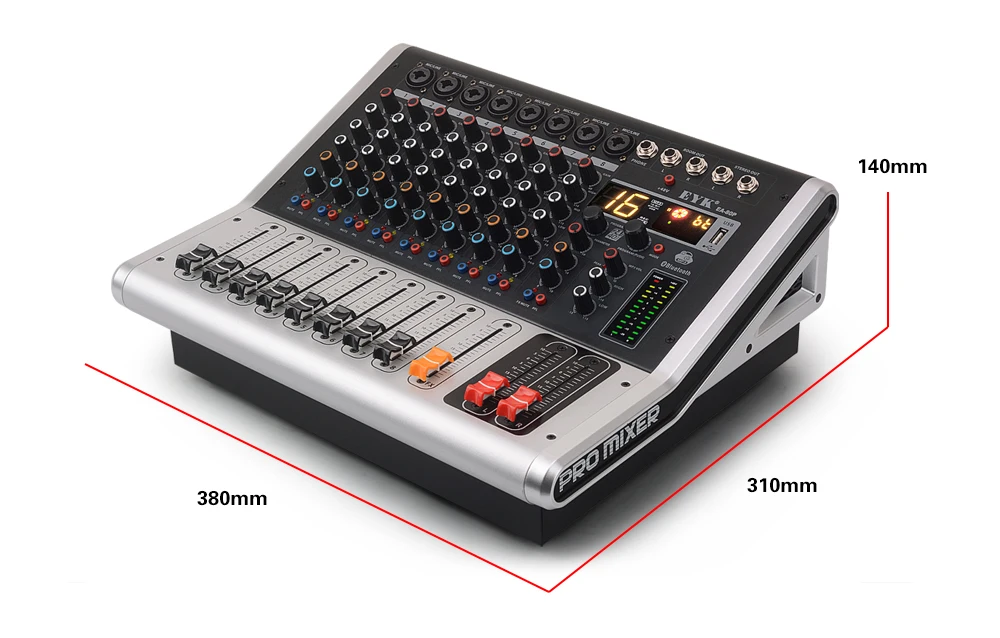
Product size
Width: 380mm (15in)
Length: 310mm (12in)
Height: 140mm (5.5in)
Kindly note:
We have Four Power adapter Options :
1. EU Plug
2. US Plug
3. UK Plug
4. AU Plug
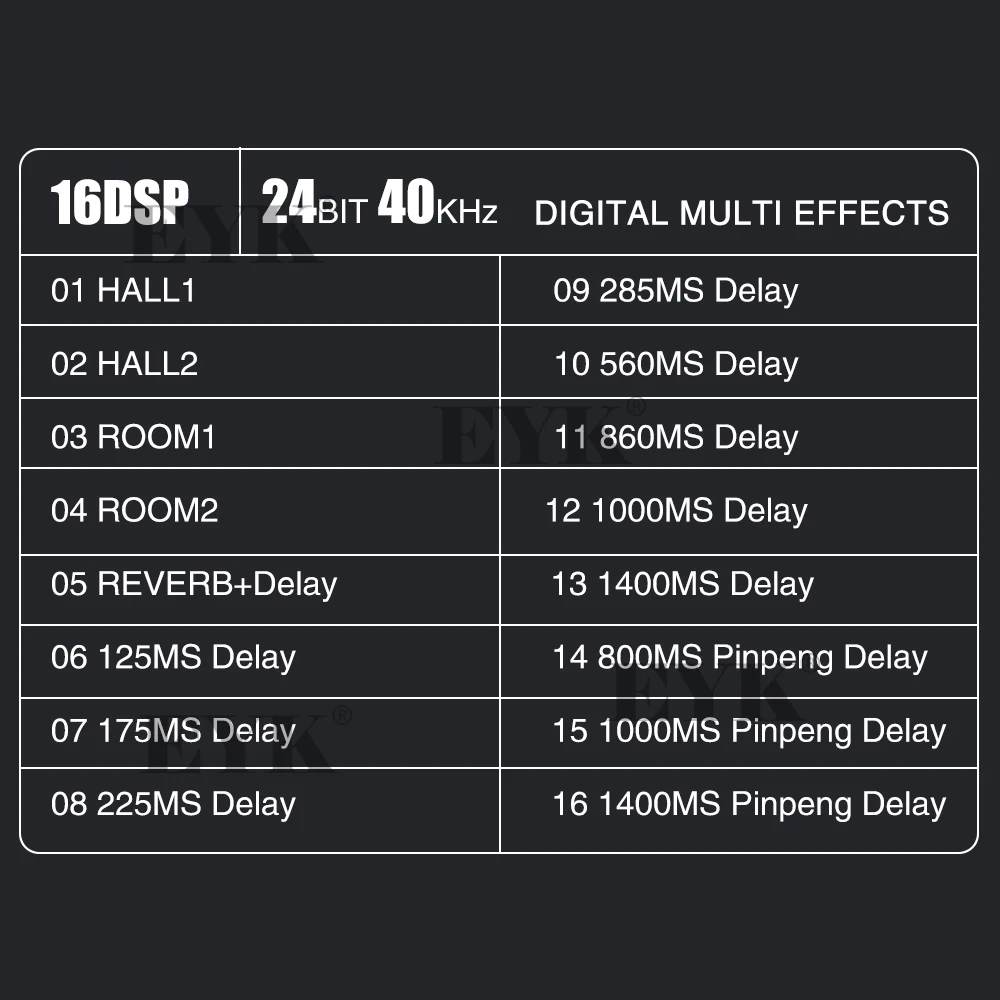
16 DSP Digital Multi effects(24BIT 40KHz)
1. HALL1 2. HALL2 3. ROOM1 4. ROOM2
5. REVERB+DELAY 6. 125MS DELAY
7. 175MS DELAY 8. 225MS DELAY
9. 285MS DELAY 10. 560MS DELAY
11. 860MS DELAY 12. 1000MS DELAY
13. 1400MS DELAY 14. 800MS Pinpeng DELAY 15. 1000MS Pinpeng DELAY
16. 1400MS Pinpeng DELAY









Follow us on: