BENBOX APP Download
https://www.in-kee.com/en/download/
Description
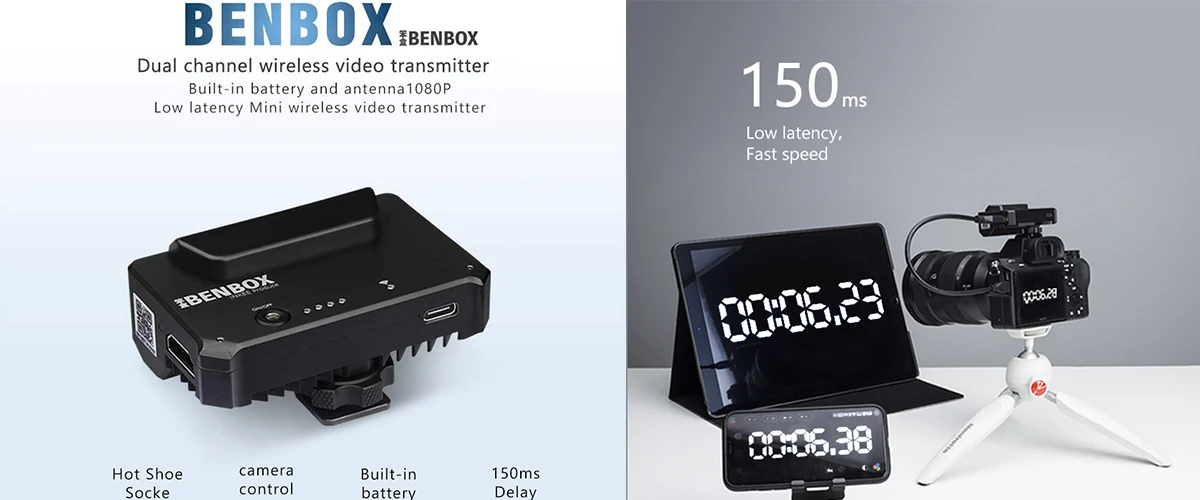
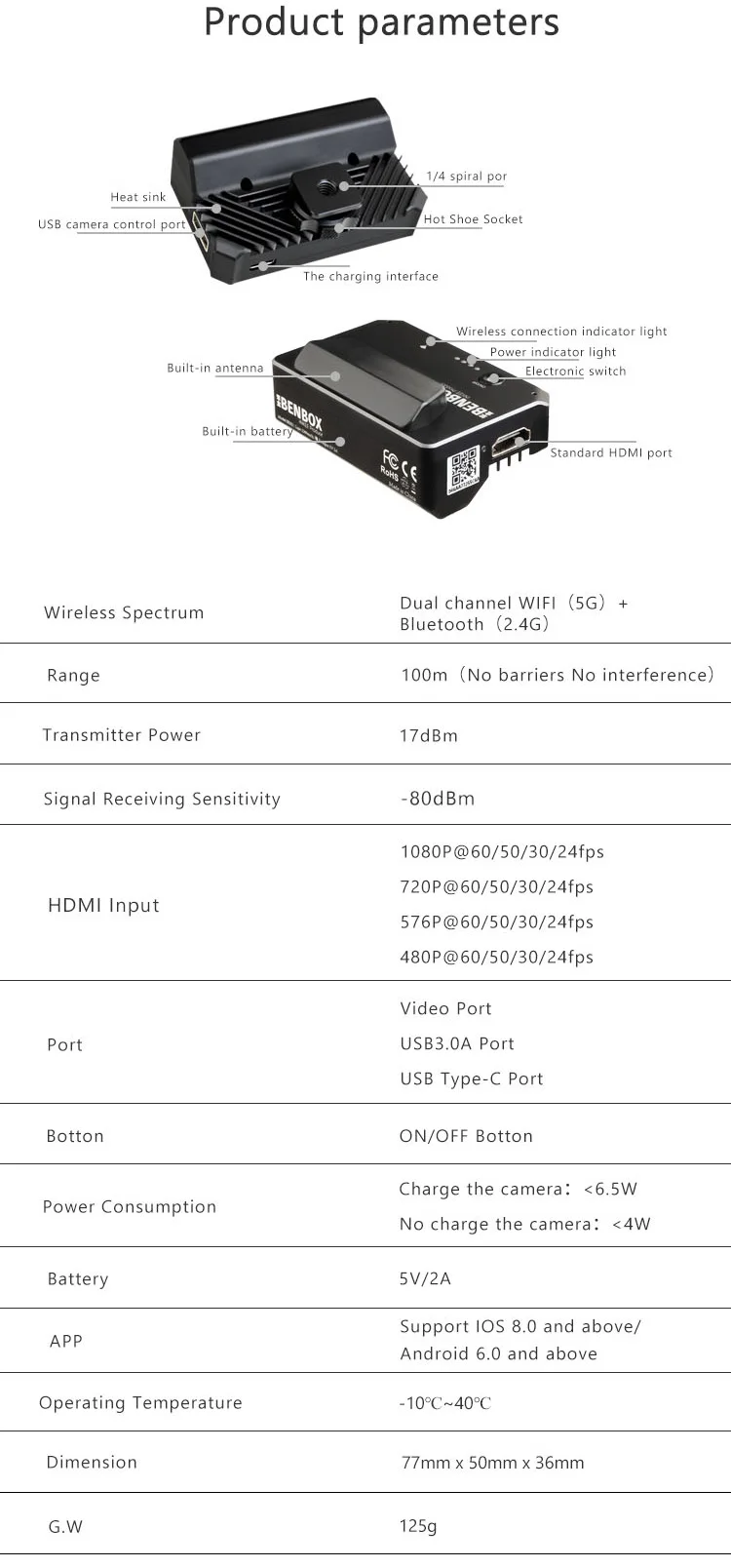
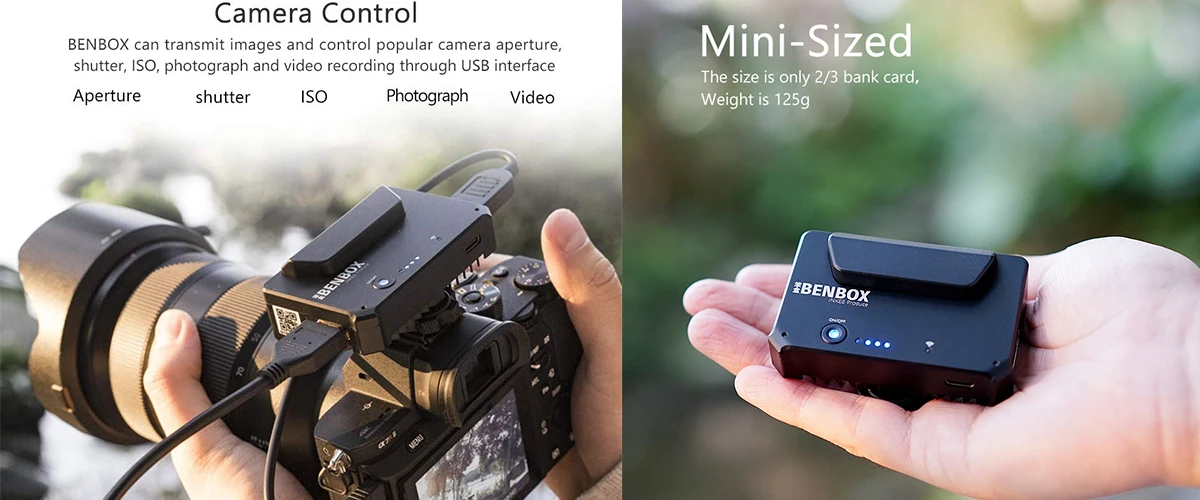
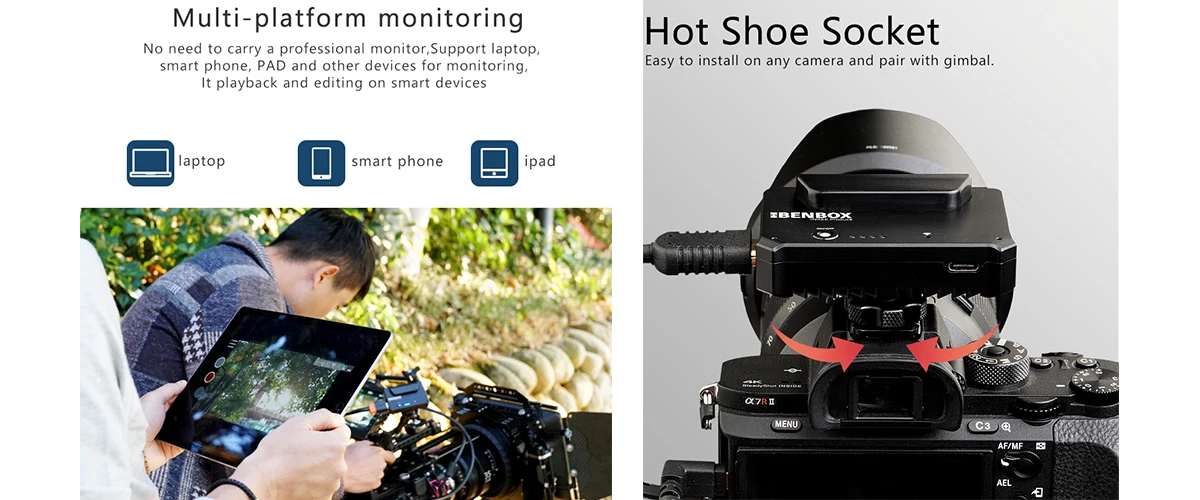
*Compact and lightweight body, only 125g, the innovative built-in spiral cold shoe can be quickly installed on the camera hot shoe, reducing interference with the gimbal stabilizer.
*HD HDMI signal input, built-in antenna and high-performance image decoding CPU, support up to 1080P @ 60fps video signal input.
*Multi-platform support, image transmission receiving terminal supports Android / iOS / windows / Mac OS devices.
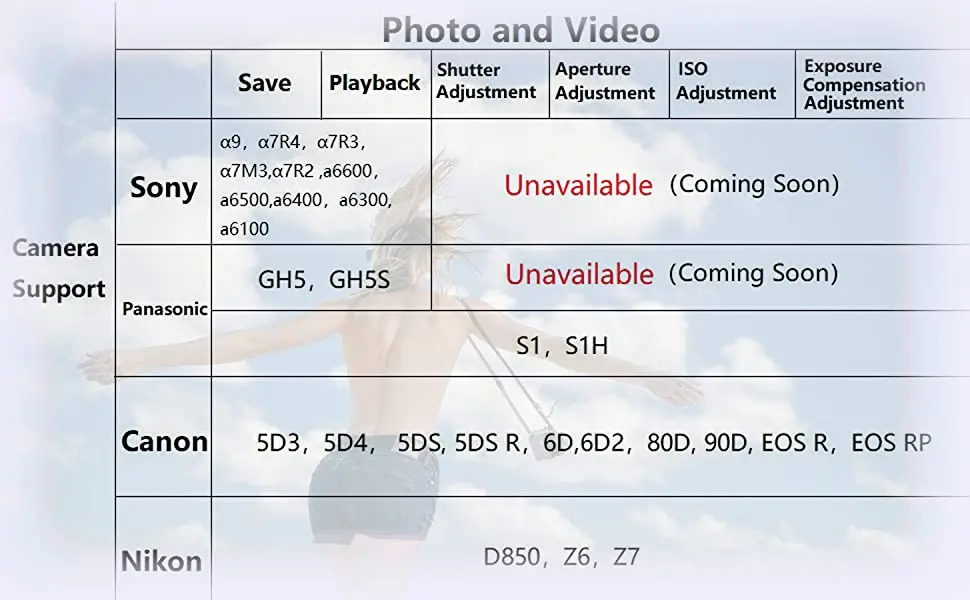
*Camera control function, support Sony, Panasonic, Canon, Nikon and other mainstream SLR cameras, micro-SLR and mirrorless camera control and parameter settings such as aperture, shutter speed, ISO.
*Support charging while using, built-in 2500mAh lithium battery, support for charging the camera while controlling the camera via USB
Note
1.Benbox only compatiable with the mobile phone,laptop,pc with WIFI 5.8G.
2.For other cameras which not in this list, please send inquiry to make sure if you camera support fully functions (Usually only support Save&Playback)
Camera Control
In addition to the image transmission function, BENBOX can also control the aperture, shutter, iso, taking photos and start /stop video recording functions of mainstream cameras through the USB interface.
NOTE: For Sony cameras, it only support taking photos and start/stop video recording, not for camera parameter control.
1.Built-in cold shoe and standard 1/4 mount for easy mounting on any camera.
2.Benbox features a full HDMI port, acceptting 1080p/720p/276p/480p/at 60/30/24 fps video input, and sends out a Full HD 1080p 30fps livestream signal.
NOTE:HDMI cable not included.
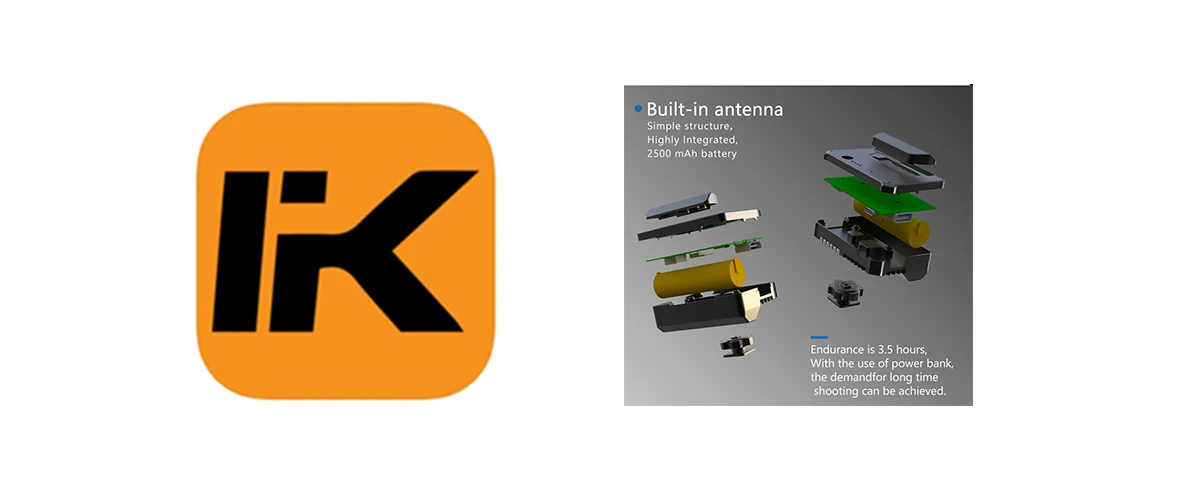
Built-in battery, high degree of integration, with 2500 mAh battery, up to 3.5 hours of battery life, used with power bank to meet long-term shooting needs.
Wonderful APP Function
INKEE APP will be continuously updated and added more new features.
Built-in Antenna
Built-in antenna, get rid of external antenna, use more freely, the signal is still strong.
NOTE: Please use the image transmission in open and unobstructed areas.
Package Content
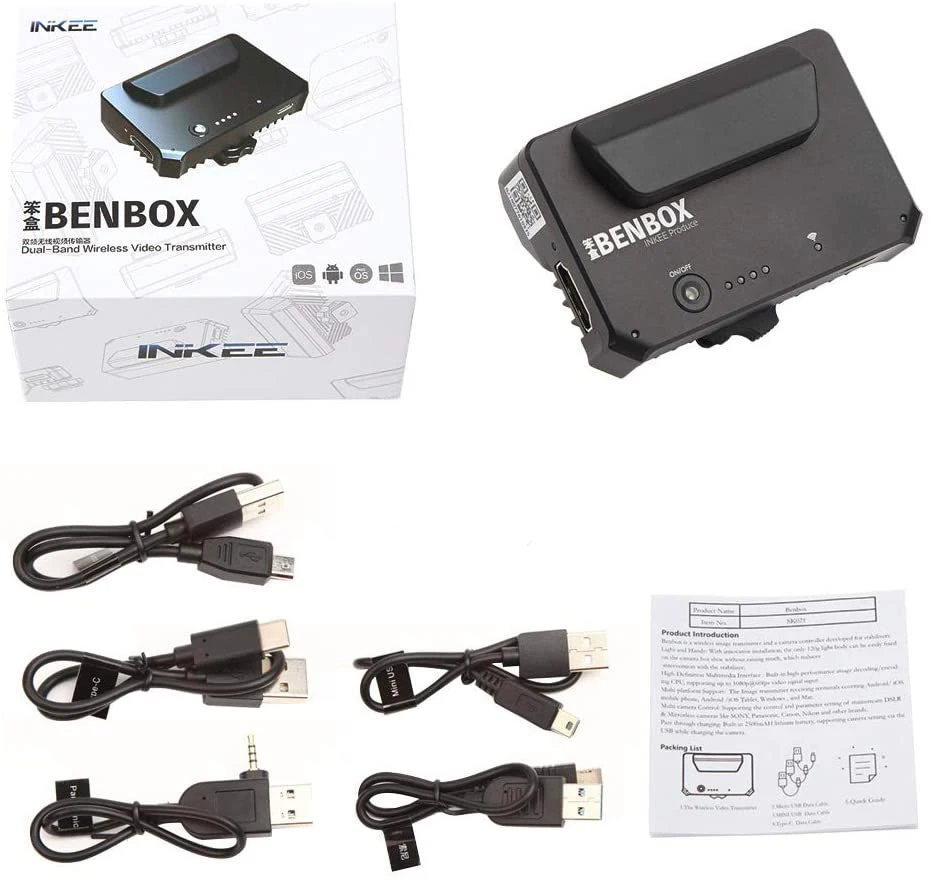
1.wireless video transmitter
2.Micro USB cable
3.Mini USB cable
4.Type-C cable
5.Panasonic control cable
6.Sony control cable
7.User guide
Q&A
Q: I try to update but stops at 1% on both iOS and Android, Can I control the ISO
and aperture on the Sony a6300 / a6500?
A:It is possible because of bad connection of internet. check your internet connection
if it is proper connected.With Sony camera one can only photograph and
record due to the restriction of control function of Sony itself.
Q: It is not detecting the video feed at all through the app from my Sony Camera.
A:use the dedicated cable of Sony to control the camera, one can only photograph and record by using SONY camera due to the restriction of control function of SONY company,And also select 1080p instead of 720p on the menu of App. HDMI smart output is 2K but not 4K.
Q:Can you install App to MAC OS? I can’t install to my MacBook.
A:For installing App to MAC OS you can come to our official site to download the APP, the link is as follow: https://www.in-kee.com/en/download/
Q:Just wanted to know if the BENBOX can be charged while using? (Important questions).
A:Yes, it can be charged while using.
Q:Is the benbox can use for streaming?
A:Yes you can connect Benbox device to a computer to receive the signal and then use the computer to stream.
Q: I want to know if there’s going to be an update to use it with interlaced video, I have some cameras wich only output 1080i and would love to use Benbox with it.
A:If you use camera with output 1080i maybe it doesn’t work, cause Benbox only support 1080P.
Q: Do you know if the application works with the Blackmagic pocket 6k?
A: NO, but it works with 2K.
Q:How many devices can connect at the same time? the Bluetooth connection if for
what?
A:Normally there are three devices can be connected at the same time. The Bluetooth
cannot work yet, hopefully in the future.
Q:Hi, I for the Benbox transmitter. However it doesn’t work. When I pair with the app, it doesn’t show video screen. I tried this with Xiaomi 10, iPad Pro, and also Samsung Galaxy S20. Does not work.
A:Do not choose 4k output, it can only transfer 1080p signal.
Q:I noticed it had cables for Sony and Panasonic for camera control of certain camera
functions, but I did not see cables for Canon, Nikon or Black Magic. Is the BenBox
compatible with these cameras and would it require a separate cable purchase if so,
can you direct me to the proper cables? Your website says it is compatible with
MaciOS but I could not find the Inkee app on the MaciOS store. How do you get it
to work with Mac?
A: There are 5 cables in the packing box besides the Benbox, two of them are
specially for Sony and Panasonic while the others is for other brand cameras. If you
use Sony camera to connect with Benbox then you can just photograph or record
object because of that we have not reached a agreement of controlling certain
functions with Sony yet. With Panasonic, Canon and Nikon Cameras, in addition to
photograph and record you can also adjust shutter, aperture, ISO and Exposure, etc.
About the INKEE APP you can download at https://www.in-kee.com/en/download.



Follow us on: