
-
Product material: PC / Aluminum alloy / Silicone
-
-
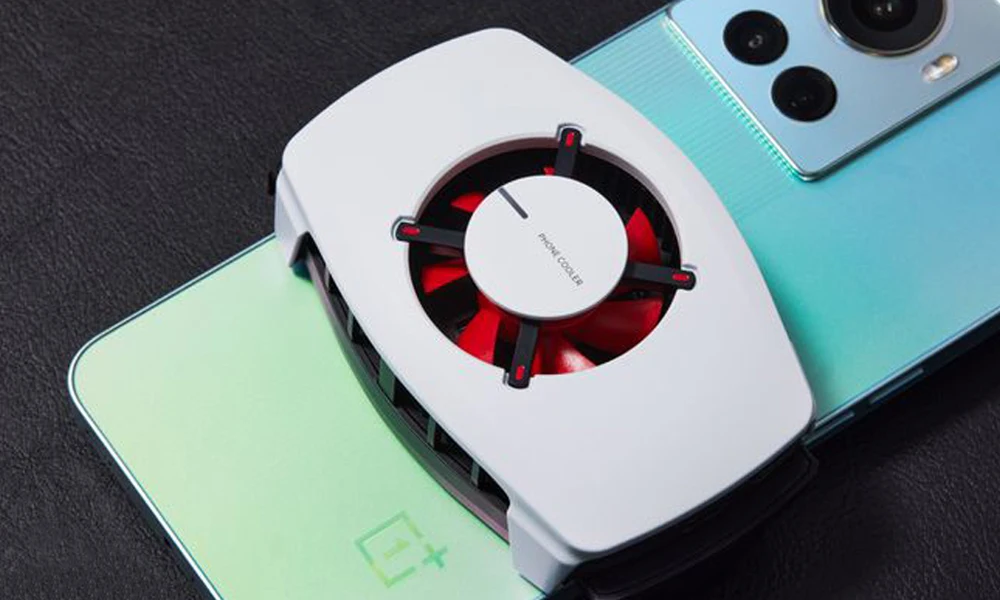
Name: OnePlus PCV02 Mobile Phone Radiator
-
-
Power supply: USB power supply
-
-
Use: perfect for the mobile phones with sizes of 70-82mm
-
-
Input Power: 18W
-
-
Minimum Input Power: 10W
-
-
Color: White
-
-
Product size: 41*87*57mm
-
-
Weight: 215g
|
Status
|
Explanation
|
Light Status
|
|
Input 18W
|
Normal Working
|
Red Light
|
|
Input 10W
|
Poor Working
|
Blue Light
|
|
Fan Stuck
|
When the fan is stuck, the cooling plate stops working and enters the protection state
|
Flashing blue (fast flashing) On for 0.5 seconds, off for 0.5 seconds
|
|
High Temperature Protection
|
When the air inlet or outlet is blocked, causing the temperature of the radiator to be too high, the fan and cooling plate will stop working and enter the protection state
|
Flashing blue (fast flashing) On for 0.2 seconds, off for 0.2 seconds
|

Package Included:
1 x Cell Phone Radiator
1 x A-C Cable
1 x Manual
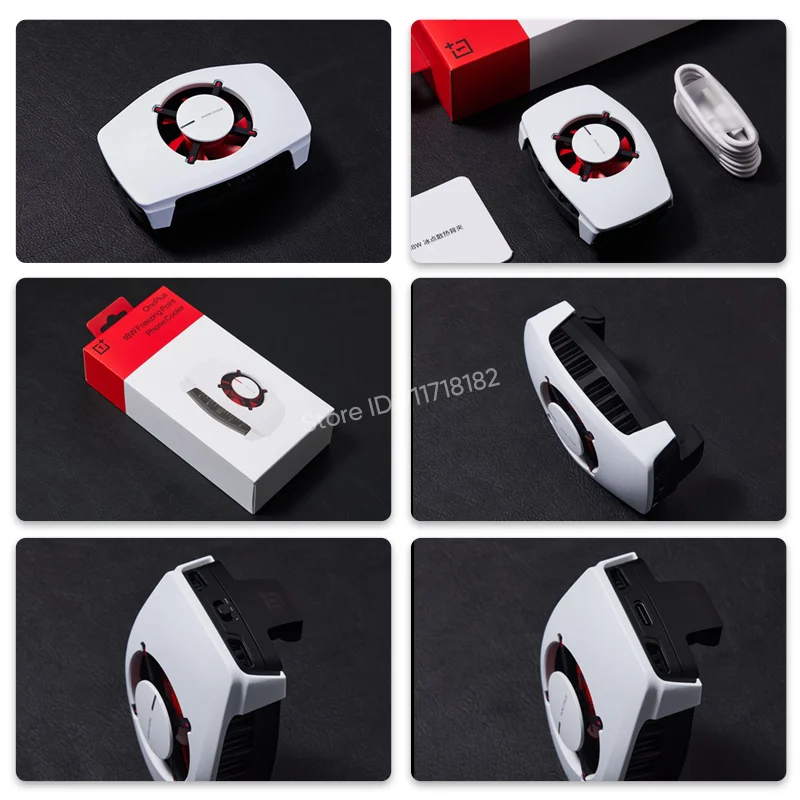

OnePlus 18W Freezing Cooling Fan
18W High Power | Dual Control Chips | Dual Colling Chips

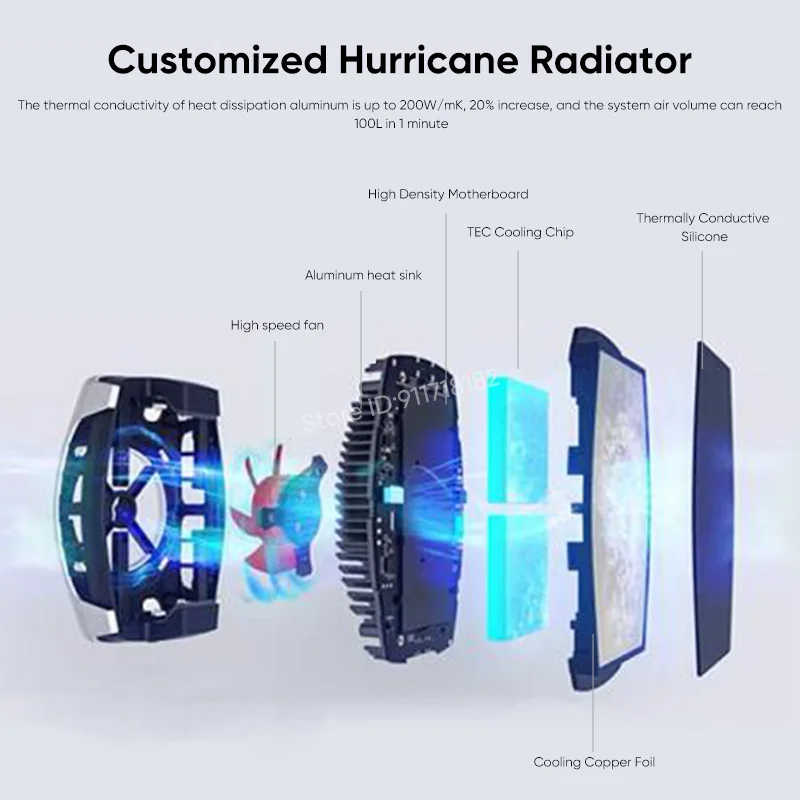
Customized Hurricane Radiator
The thermal conductivity of heat dissipation aluminum is up to 200W/mK, 20% increase, and the system air volume can reach 100L in 1 minute
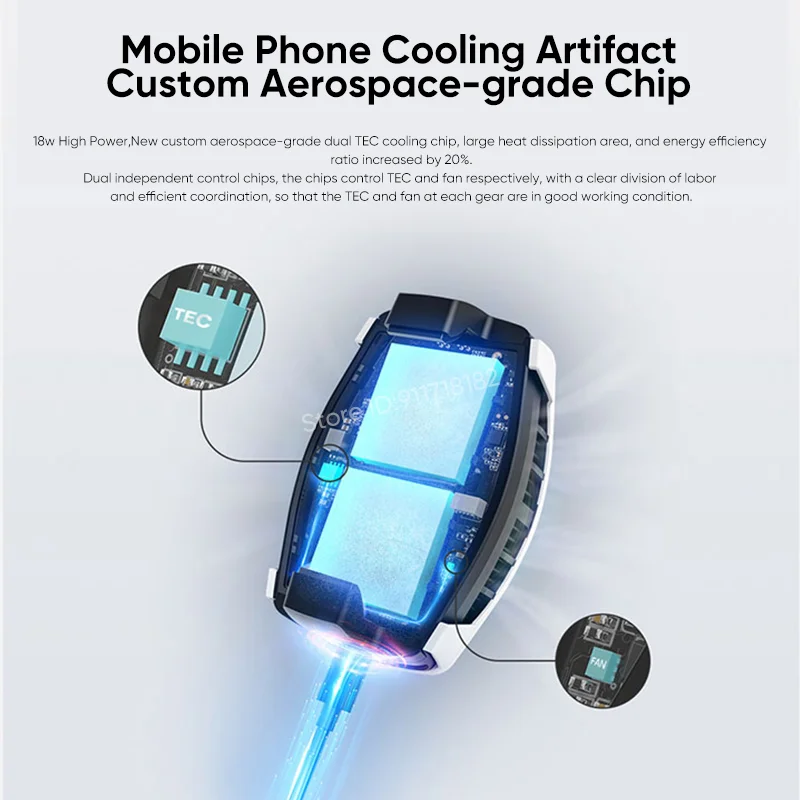
Mobile Phone Cooling Artifact
Custom Aerospace-grade Chip
18w High Power,New custom aerospace-grade dual TEC cooling chip, large heat dissipation area, and energy efficiency ratio increased by 20%
Dual independent control chips, the chips control TEC and fan respectively, with a clear division of labor and efficient coordination, so that the TEC and fan at each gear are in good working condition.
OnePlus Ace Wears Cooler
60Hz Gaming Mode Test 1 hour
Maximum Temperature of phone is 36.4℃
Average Frame Rate 59.1fps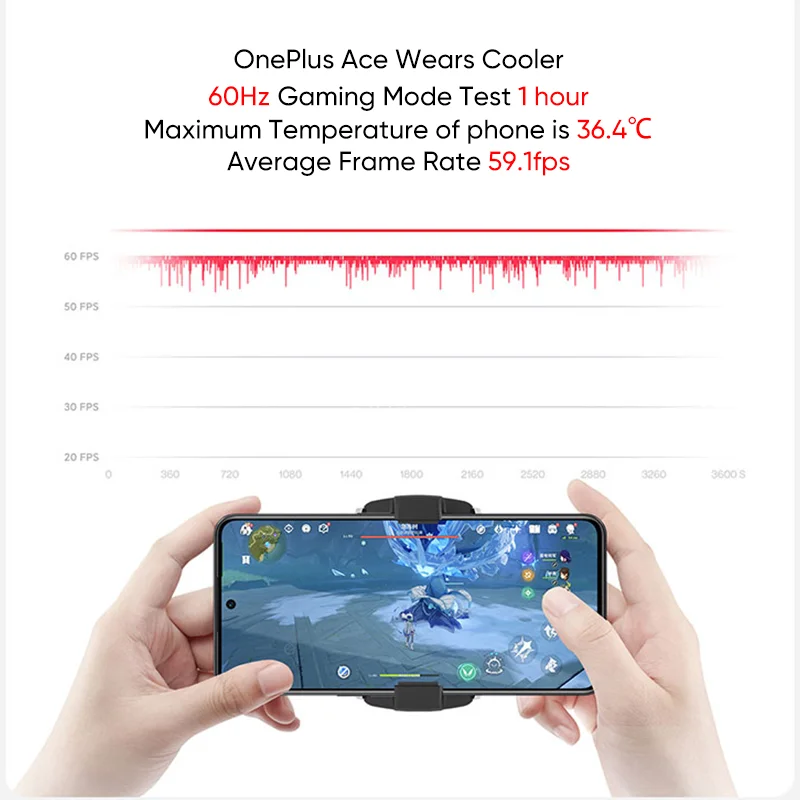
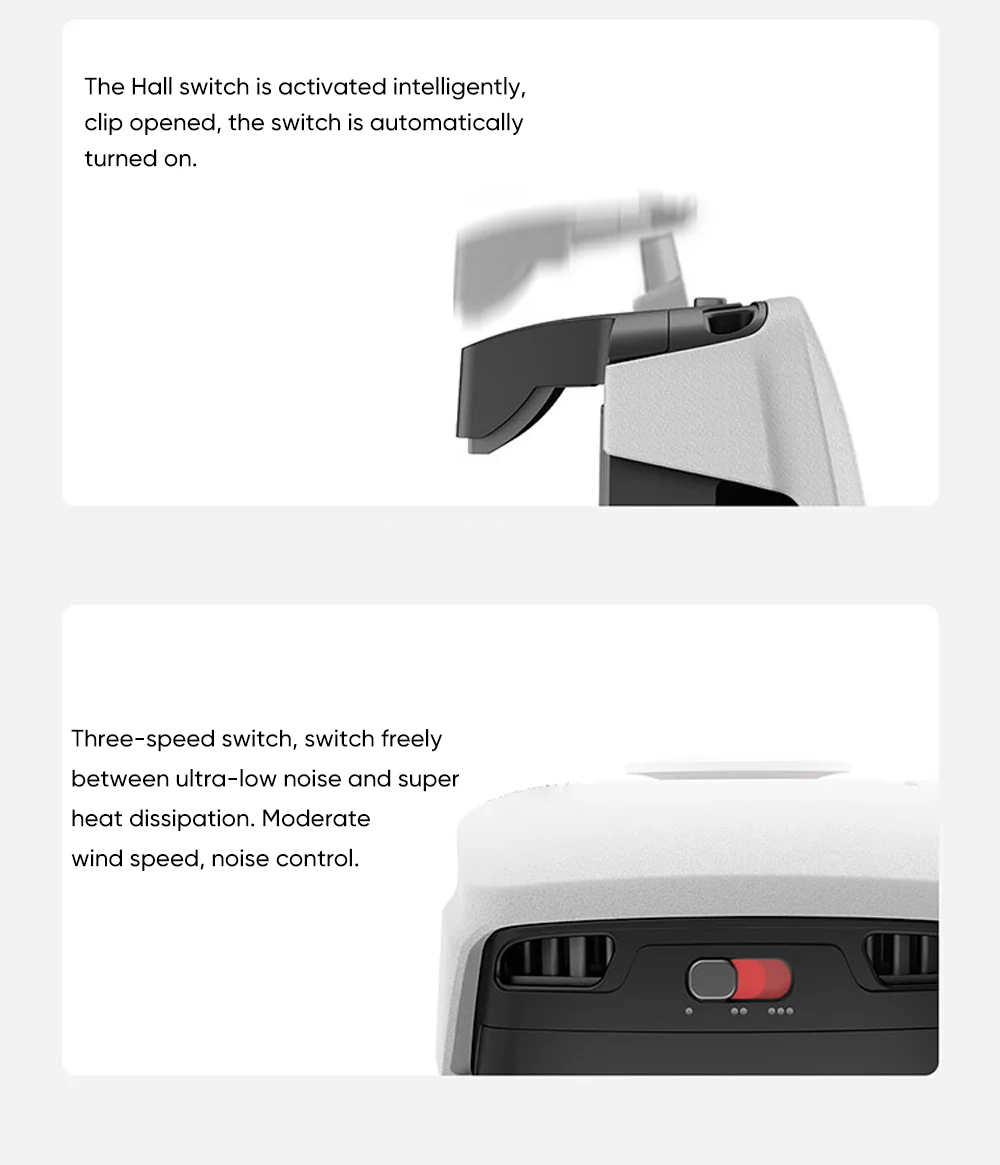
The Hall switch is activated intelligently, clip opened, the switch is automatically turned on.
Three-speed switch, switch freely between ultra-low noise and super heat dissipation. Moderate wind speed, noise control.
Anti-condensation circuit design, escorted by waterproof paint, no need to worry about short-circuit failure
Fan stuck, the clip immediately enters the protection state.

Note:
1. The 18W refers to the maximum working power of the cooling clip. The real-time power of the back clip is affected by the temperature difference between the two ends of the TEC. When the back clip is just started, the temperature difference between the two ends of the TEC is 0, and the back clip has the maximum power at this time. As the TEC starts to work, the temperature difference between the two ends gradually increases, and the power of the back clip decreases. When the temperature difference is stable, the maximum power of the back clip is about 15W.
2. When the cooling clip is powered on, the fan will perform a self-check. The fan starts and stops quickly, “jittering” is normal.
3. When the product is working, it is normal to cause condensation water due to the loose fit or no-load.
4. When the product is in use, do not block the air inlet or use foreign objects to block the fan.
5. When using the cooling clip to cool the phone, please remove the phone case to achieve the maximum cooling effect
6. When using this product, please use an adapter that complies with the QC18W protocol, so that the heat dissipation back clip can be in normal working condition. With a 10W adapter, the cooling effect will be affected. Using a 5W adapter, the power of the cooling back clip is not enough to start, and it cannot be cooled.
7. Do not use the USB ports of mobile phones, laptops, tablets and host computers to supply power to the cooling clip. It may cause the USB interface to exceed the allowable power, and the fans and cooling elements of the cooling clip will stop working and enter the protection state. flashing blue light


Follow us on: