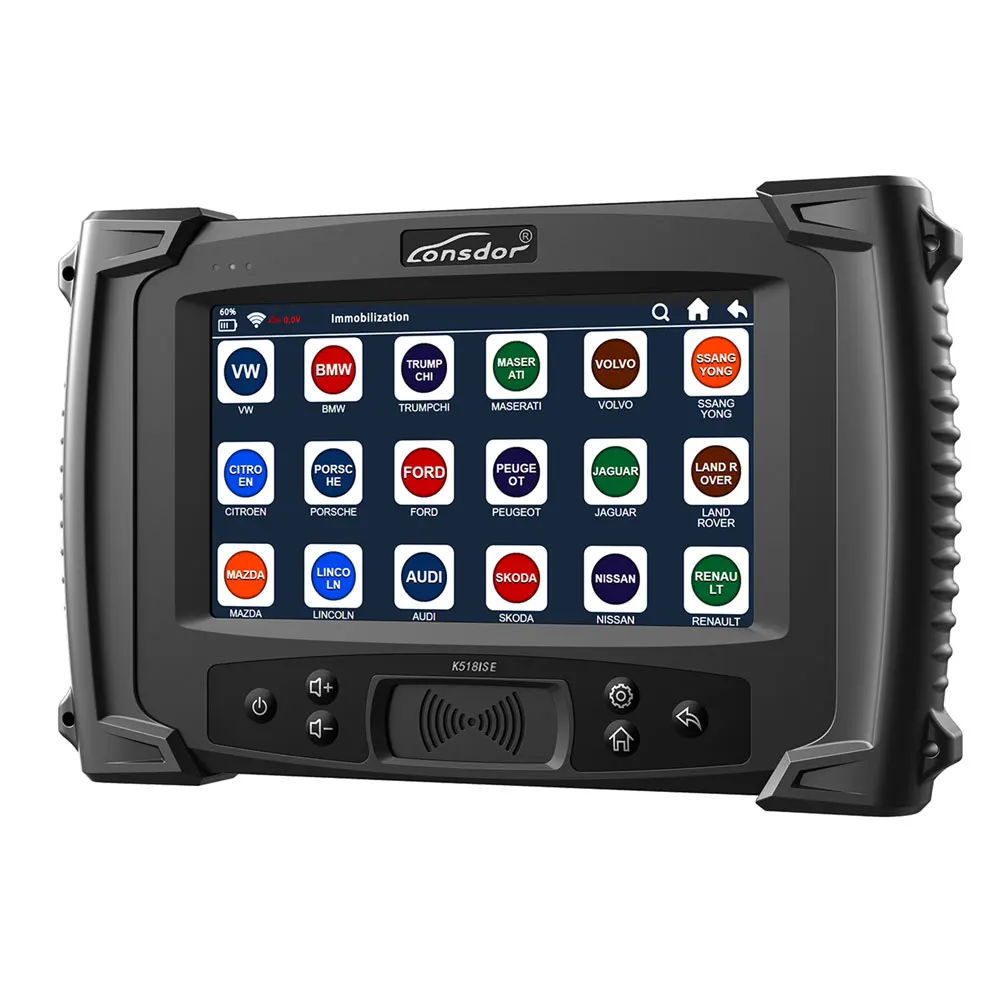
 Lonsdor K518ISE K518 Key Programmer for All Makes With BMW FEM/BDC Functions
Menus are divided into two parts: free menus and subscribed menus.
1. Free menus are free for lifetime.
2. Subscribed menus can be used for free for 365 days. You need to pay for them after the trial period. After the trial period, subscribed menus will not work properly if you don’t pay. And the menus will disappear after updating the device.
A. 365 days is a period and the price is USD630 per period. One year period starts from the day of the trial period finished.
B. Purchase menus with a dealer. You can use the menus normally and permanently after payment.
C. Menus which you purchase includes subscribed menus that have been released and that will have been released in one year period.
D. Subscribed menus beyond one year period requires extra payment.
Lonsdor K518ISE Update Car List Download
The car list in PDF marked Black can be updated for Free.
For cars marked Red enjoy 365 days free trail. You need to subscribe to use later. If you don’t need these newly updated car models. You don’t need to pay for service, your tool will go back to normal.
Main Functions & Features
Immobilization
Odometer adjustment
Built-in for Volkswagen 4th 5th adapter
Built-in Chip & remote detection module.
Free for BMW FEM key programming
Program for Toyota/Lexus smart key all key lost via OBD
Special Features
For Volvo (S40, S60, S80, XC60, XC90, C30, C70, V40, V60, V70) key programming.
For Toyota/Lexus: smart key all key lost – via OBD ( without dismantle)
For BMW CAS3/CAS3+/CAS3++: direct OBD programming
For BMW CAS4/CAS4+: dismantle & read data programming
16 -New Maserati: smart key programming
16 -New for Ford: smart key programming
For Hyundai / Kia 46/47/8A smart key: PIN code reading via OBD, all key lost included.
For Renault ( for Megane, for Koleos, for Scenic) without PIN code key programming
V-A-G group 4th & 5th immobilizer system
For Ferrari (458, F12, F149): direct OBD programming
For Peugeot /Citroen: two ways to read PIN code & programming, all keys lost included
Highlights
1.The best car diagnostic tool based on Android
2.WIFI networking ensures software upgrading more convenient
3.No need to plug memory card,or connect the computer with data cable,more flexible in online upgrading,updating and activating.
4.With USB-B2.0 standard connector,OBD-II test cable integrated with the diagnostic connector function of the adapter.
5.Diagnostic speed greatly accelerated,work efficiency improved,better time saving.
6.7 inches high brightness,high definition color IPS capacitive screen
7.3800mAh prolymer battery
8.Support external memory expansion,better within 32G
9.Built-in professional,poerful operation assistant system
Update Info
June 3,2020
Lonsdor K518 Update for Fiat 500X 2014-2019 Smart Key Progarmming
May 28,2020
Lonsdor K518 Update for Jeep Grangler(2018-2020) Proximity key programming,Gladiator 2020 Proximity key programming
May 27,2020
Lonsdor K518 Update for Alfa Romeo Giulia smart key programming (2010-2018), for Stelvio smart key programming(2016-2018).
.
.
.
.
for BMW FEM/BDC series key programming
How to use Lonsdor K518ISE program BMW FEM BDC key even all key lost
CAS4 Enable/Disable Key

Immobilization Car List
Check the detailed functions and car list here
Europe:
For Audi, for BMW, for Benz, for VW, for Volvo, for Citroen, for Ferrari, for Maserati, for Fiat, for Lamborghini, for Jaguar, for MG, for
Land Rover, for Bentley, for Lancia, for Opel, for Peugeot, for Porsche, for DS, for Renault, for Alfa Romeo, for Smart, for
Borgward
America:
For Cadillac, for Chevrolet, for Dodge, for GMC, for Buick, for Hummer, for Ford, for JEEP, for Lincoln, for Mercury
Asia:
For Honda, for Hyundai, for Isuzu, for KIA, for Lexus, for Mazda, for Mitsubishi, for Nissan, for Ssangyong, for Subaru, for Suzuki, for
Toyota, for Shigaoka Queen
China:
For Iveco, for Trumpchi, for BYD, for Geely, for Chery, for Great Wall, for Young Lotus (Basically all Chinese car
models are included)
Odometer Adjustment Car List:
For VW, for Porsche, for Ford, for Jaguar, for Land Rover, for Mazda, for Audi, for Renault, for Hummer, for Hyundai, for Kia…
More high-end cars will be updated very soon.
Note: K518ISE is still under rapid upgrading, more functions will be released soon, please refer to official, you can “One key update” for the latest version by yourself.
SKE-LT: Smart Key emulator – for Toyota/Lexus smart key for all key lost via OBD.
Black: SKE-LT-DST40(94/D4) -Supports 94/D4 smart key.
Red: SKE-LT-8A(88/A8)-Support 88/A8 smart key.
Green: SKE-LT-DST80(98)-Supports 98 smart key.
Blue: SKE-LT-8A(A9)-Supports A9 smart key.
How to Use Lonsdor K518ISE?
Here I take the for Toyota/Lexus smart key all key lost as example.
1) Binding
1.Go to the “Bind emulator key” function;
2.Turn on emulator key and put it into K518ISE key slot (put the status indicator down, make sure the key is active);
3.Following the system direction and click “OK” to start binding;
4.After binding completed, the system will indicate “Binding successful”.
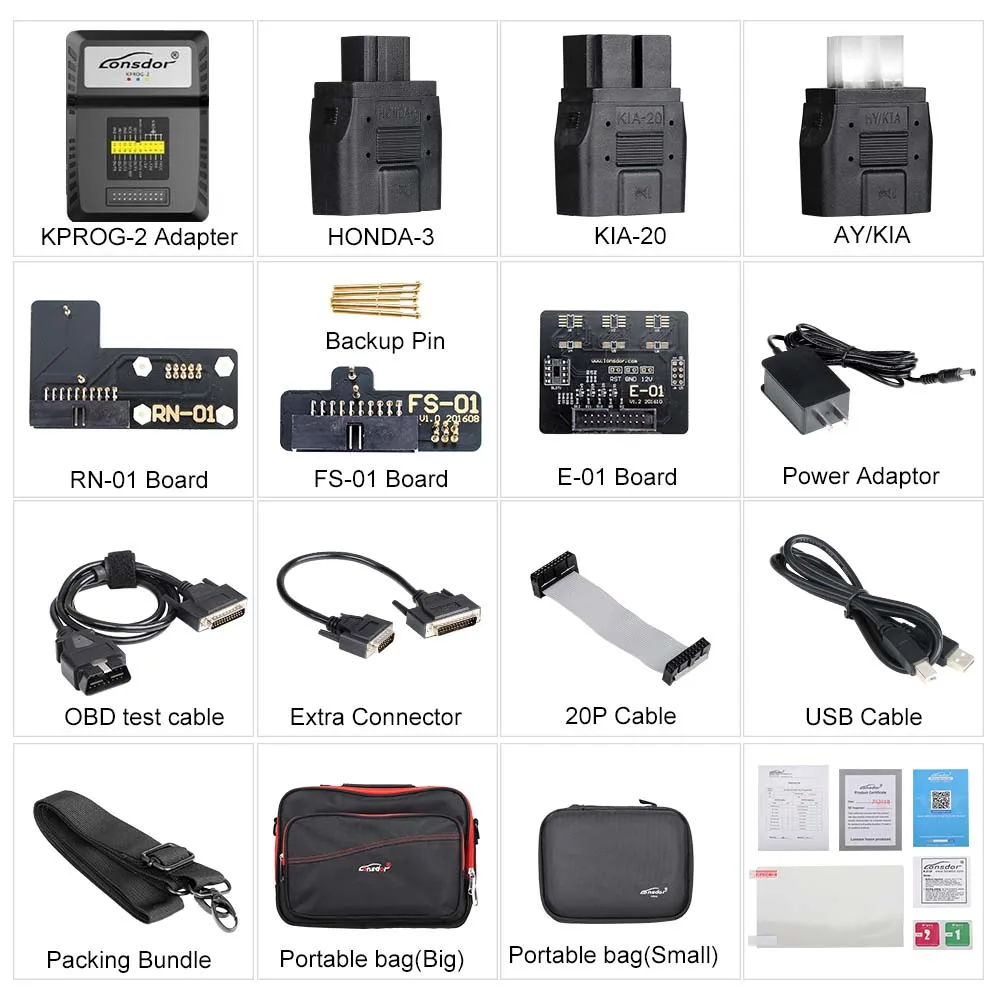
Note: The KPROG adapter is specialized for part of Volvo car series and the new Maserati for the time being, we are still developing some more car models that the adaptor can support in the near future, such as Jeep Grand Cherokee, please refer to our website or directly go to the”One key update” for latest news.
2) Backup EEPROM data
Connect K518ISE with car OBD port, enter into “Backup immodata” to back up the data.
3) Make emergency emulator key
After choosing the immo data, in a network environment, the system will indicate to choose the corresponding SKE emulator key model, please start the key and put it into K518ISE key slot(make sure the key is activate), follow the instruction to make an emulator key.
4) Add smart key
Click the car start button, put the generated SKE emulator key close to the start button, with induction the car will automatically activated.
The system will read current key count, then follow the instruction to add key.
Precaution
1.”Bind emulator key” can identify the SKE emulator key binding state;
2.SKE emulator key need to bind K518ISE host and can bind only for one time;
3.When making emulator key, make sure well net connection and to choose the corresponding SKE emulator key model correctly.
How to update Lonsdor K518ISE?
There are 3 ways to update the system,and after you connect the k518ise to the network,it will updated to the latest version automatically.
One key update:quickly update the new added or modified functions.
APK update:this is used when the APK is updated.
Force to update:this is used when the device is faulty or to retrieve data.
Lonsdor K518ISE Adaptor Binding
Please note that KPROG adapter must be bound to K518ISE before using, here is the binding process:
Step 1. Connect adapter to K518ISE with mainline
Step 2. Connect K518ISE with 12V power supply
Step 3. Enter into “Setting”
Step 4. Click “Bind adapter”
Step 5. Click “OK” to complete
Note: The KPROG adapter is specialized for part for Volvo car series and the new for Maserati for the time being, we are still developing some more car models that the adaptor can support in the near future, such as for Jeep Grand Cherokee, please refer to our website or directly go to the”One key update” for latest news.
How to Register Lonsdor K518ISE best key programmer?
After system updating, you need go to registration&activation.
For new user,
Click on Registration,
Input: user name(email), name(min 2 char), password(min 6 char), email verification code
Click on YES
Lonsdor K518ISE registration completes
(if interrupted after registration is done, you will go to the System update–Registered user to proceed).
Then go to Activation confirmation to continue.
How to Activate Lonsdor K518ISE car key programmer tool?
After confirming activation, it will go thepassword Setup interface
set 6-digit numbers as your startup password information verification by Lonsdor
(5-30 minutes, you can check the progress by clicking “Refresh” )
re-enter the password to verify
get the notification that verification successful
the whole process before using the device is complete.
The most important note:
1. User name must be workable email address, so that you can receive the verification codefrom Lonsdor by email.
2. Please pay attention to the difference between the registration password (min 6 char) and the startup password(6-digit), the former will generally only used when registration, so please commit the 6-digit startup password into memory, as this will be required every time when you start the device.
3. The account will be bound to the corresponding device for life, other accounts can not log in your device and your account can not log
in an registered or activated device either.
4. An account can be used to bind multiple new devices.






Follow us on: