Car Multimedia player Android 9 GPS Autoradio 2 Din For FORD/Focus/Mondeo/S-MAX/C-MAX/Galaxy RAM 4GB 32GB Radio DSP DVR
Podofo Black&Silver 2 Din Android 8.1 GPS Car Radios Car Multimedia player 7” Audio DVD Player For Ford/Focus/S-Max/Mondeo 9/GalaxyC-Max
For Focus II (2008-2011)
For S-Max (2008-2011)
For Mondeo 9 (2008-2011)
For Galaxy II (2006-2011)
For C-Max (2008-2011)
For Kuga (2006-2011)

If you need Silver color, please choose package 1-3; If you need Black color, please choose 5-8.



2din android;2 din android;1 din android;radio android;android auto;radi cloo 2 din android;central multimidia android;android car stereo;car android;
2 din car radio gps android;autoradio 2 din android;android radio;1din android car radio;android 1 din
Features:
1.Upgraded Dual system mirror link: IOS/Android mirror link
IOS airplay:IOS supports mobile phone one-way projection to the machine,support mobile phones under IPhone X to use mirror link.
Android two-way:Android supports mobile phone two-way connection,support Android 4.0-8.0 mobile phone mirror link.
2. 7 inch HD car radio MP5 player with TFT capacitance touch screen
3.CANBUS included: CANBUS can help realizing real-time synchronization of information, making car control more intelligent and precise
4.Dash Cam function: The video car player can connect dash camera and has all the functions of dash cam, cycle recording,accident auto-detection,packing monitor
5.Build-in Bluetooth 4.0 with A2DP/Hands Free/Phone book
Support Bluetooth hands-free calls
Bluetooth music player
Auto loading Phonebooks
Auto loading Records
6.Built-in electronic instructions: Answer your questions at any time
7.Built-in WIFI: Connect to WIFI, and you will find a new world,the most convenient one is the online map.
8.Steering Wheel Learning: Through it you can control the functions you need by steering wheel, more convenient
9.Built-in GPS receiver, compatible with Waze/Navfree/Google Map etc: From then on, as long as there is a destination, you can go anywhere you want and never get lost again!
10.Build in 16G Flash Memory for Music/Navigation Map Data/Video
11.High resolution: 1024P Full HD give you a fantastic experience to watch HD video
12.Rear view camera input function: Need to choose the camera, the car is connected to the reverse gear to automatically switch(requires optional)
13.Power-off with auto-memory store function under radio or TF/USB mode
14.Support boot screen logo adjustment, kinds of car’s logo can be adjusted choose by youself
15.A variety of EQ sound effects scene selection
16.FM radio: You can listen to real-time traffic, news boradcasts, weather forecasts, etc…, so that tedious driving is not monotonous
Specifics
Item size: 227*119*56mm
System: Android
Amplifier Chip: TDA7388
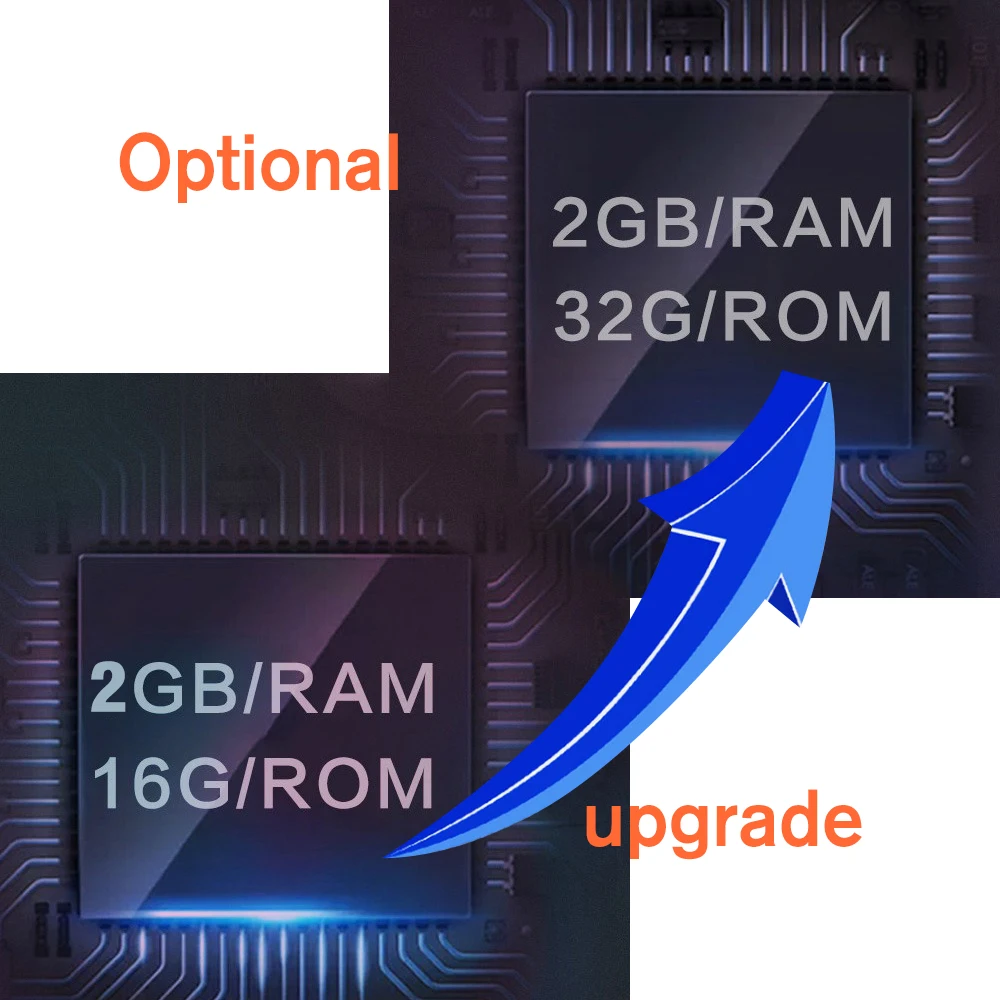
RAM: 1GB&2GB
ROM: 16GB&32GB
Screen size: 7” capacitance touch screen
Screen resolution: 1024*600
Radio Chip: MT6625
Radio: FM (No AM/RDS)
Radio frequency: 87.5~108MHz
Maximum power output: 4*45W (Max)
RCA Ports: 2*Audio-out, 2*AUX-in, 2*Video-in, 1*Video-out,1*RCAM-in
Language: Chinese/English/French/German/Russia/Spanish/Greek/Italian/Korean/Thai/Danish/Czech/Portuguese/Turkish/Japanese etc
Product included
1 x Android Player
1 x power cable
2 x USB adapter
1 x RCA Cables
1 x GPS Antenna
1 x CANBUS
1 x CAM-VIN cable
1 x User Manual
FAQ:
1.Why the car radio will show “No Signal” when we reversing?
Please check if the camera’s line is properly connected to the car radio.
Note:The video port of rear camera must insert the “CAMIN” port of car radio.
2.Why does the camera display “!” and “Can’t watch video while driving” when I use USB to watch videos?
Please turn off the “Video Warning” function in the settings,then will be OK.
3.Why can’t search FM?
3.1: No radio antenna inserted;
3.2: Please check if the radio antenna is plugged in. Please insert more antennas several times to make it well contacted;
3.3: The signal of your location is not good. Please go to a better place to test again
3.4: The radio antenna on the car is broken/no effect; please replace the radio antenna and test again.
4.Why can’t connect the Bluetooth of car radio?
4.1.Open the phone settings interface, open the Bluetooth in the Bluetooth function, search for Bluetooth devices, find the player’s Bluetooth model to be paired; if you need a pairing code, enter 0000; if not, try 1234 or 123456.
4.2.Please try to use another mobile phone to test this function.
All methods are correct and still cannot use Bluetooth, Please unplug the plug on the back of the player and plug it in after 3 minutes.
5. Why GPS is not available?
5.1. Check if the GPS antenna wiring of the machine is correct;
5.2. Whether the GPS antenna is installed in an unobstructed place;
5.3. Please check the GPS signal on the settings page. The test result is 4-5 stars, and GPS can be used normally. If it is 1-2 stars, GPS cannot be used normally. Please try it in a place with good signal.
;
Please don’t give us bad reviews and disputes before contacting us. If there is any problem with the product please contact us first, we will help you solve the problem.thank you!
5 stars recommendation


Follow us on: